TechCheat sheetPart 7 of 9, How the Internet WorksUpdated 1 October 2026
Internet Key Terms: A Cheat Sheet
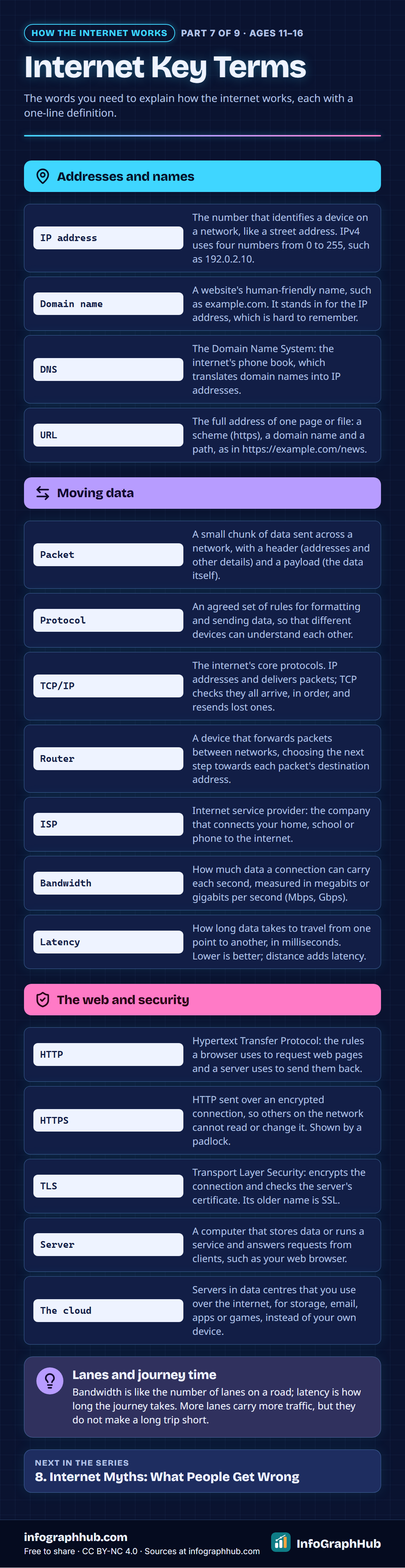
The words you need to explain how the internet works, each with a one-line definition: IP address, domain name, DNS, URL, packet, protocol, TCP/IP, router, ISP, bandwidth, latency, HTTP, HTTPS, TLS, server and the cloud.
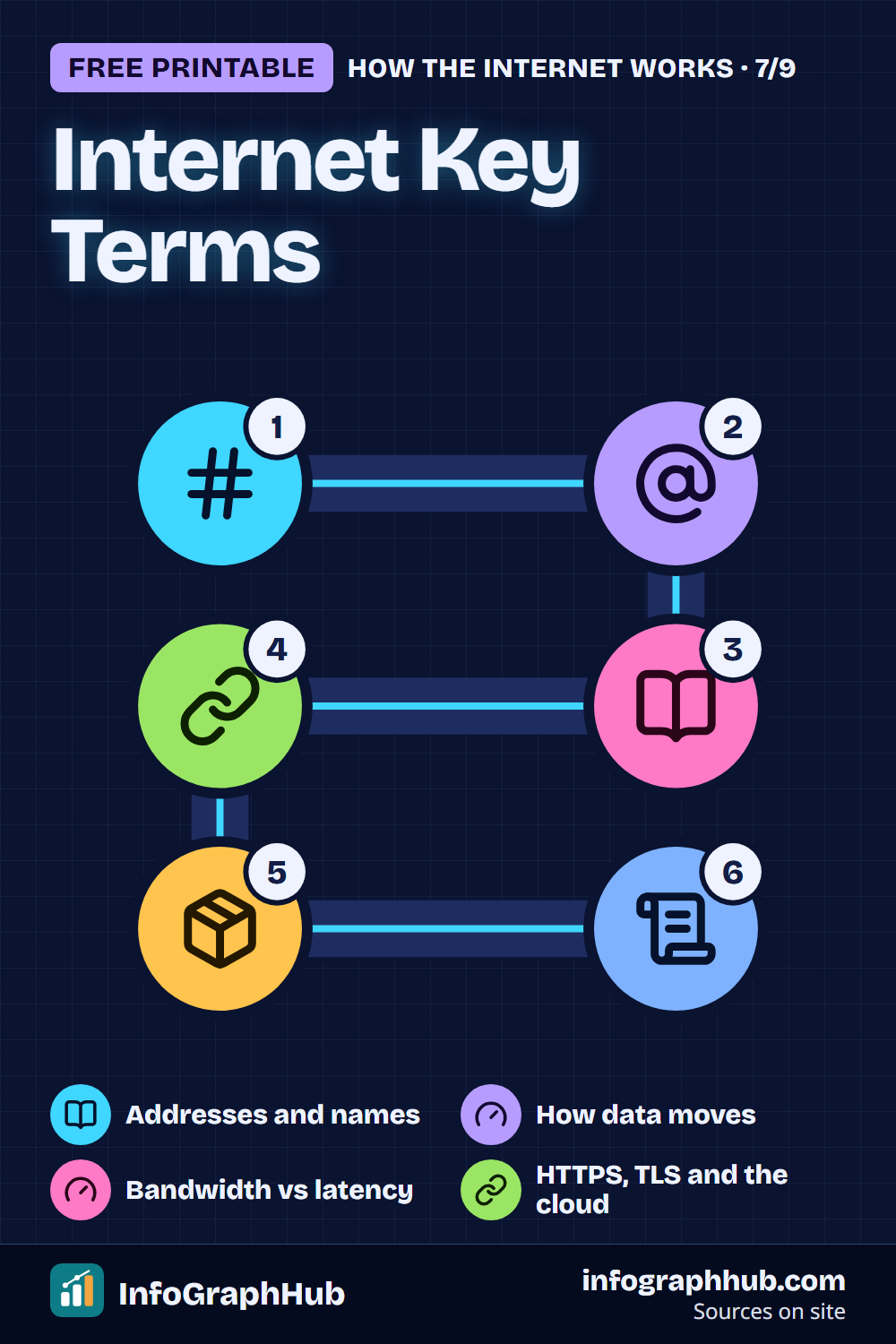
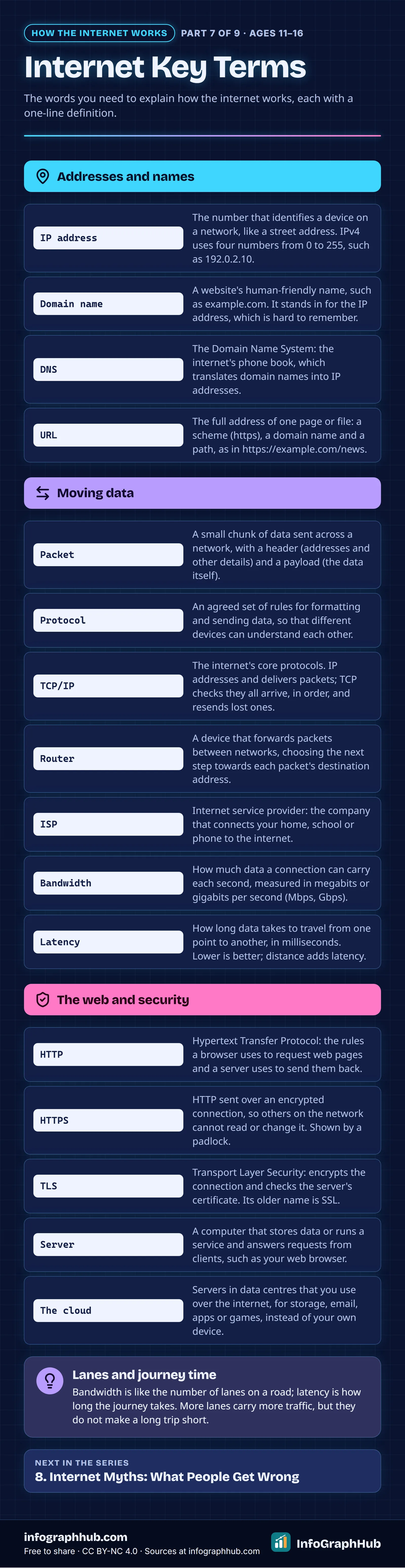
Use this infographic
Free under CC BY-NC 4.0, with credit to InfoGraphHub.
Why the words matter
Most internet words come in families. Some are about finding things (addresses and names), some about moving data (packets, protocols, routers) and some about the web and security (HTTP, TLS, servers). If you can place a word in its family, you can usually work out what it does. This cheat sheet gives a one-line definition of each; the notes below add the detail that is easy to get wrong.
Addresses and names
An IP address is the number that identifies a device on a network, much like a street address. IPv4 addresses are written as four numbers from 0 to 255, such as 192.0.2.10. IPv6 addresses are longer and use hexadecimal, such as 2001:db8::1.
People remember names better than numbers, so websites also have a domain name, such as example.com. The Domain Name System (DNS) translates names into IP addresses. A URL is the full address of one page or file: https://www.example.com/news contains the scheme (https), the domain name and a path (/news).
One website can have many IP addresses. Big sites keep copies on servers around the world, so the address DNS gives you may depend on where you are.
Moving data
Data is split into packets, small chunks that each carry a header (with addresses) and a payload (the data). A protocol is an agreed set of rules for formatting and sending data, so that different devices can understand each other.
The internet's core protocols are TCP/IP. IP gives every packet a source and destination address so it can be delivered across networks. TCP opens a connection, numbers the packets, checks they all arrive in order, and asks for any missing ones again.
A router forwards packets between networks, choosing the next step for each one. Your internet service provider (ISP) is the company that connects you to the internet and links its network to others.
Bandwidth and latency are not the same
Bandwidth is how much data a connection can carry each second, measured in bits per second: megabits (Mbps) or gigabits (Gbps). Latency is how long data takes to travel from one place to another, measured in milliseconds (ms). Low latency is good.
A motorway is a handy comparison: bandwidth is the number of lanes, latency is how long the journey takes. More lanes do not make a short trip shorter. Distance is one of the main causes of latency, so a game server on another continent feels laggy even on a fast connection. The time for a message to go there and back is the round trip time, about double the one-way latency.
The web and security
HTTP (Hypertext Transfer Protocol) is the language browsers and web servers use: the browser sends a request, the server sends a response. HTTPS is HTTP sent through an encrypted connection, so others on the network cannot read or change it. The encryption comes from TLS (Transport Layer Security), which also checks the server's certificate to prove which website you are connected to. You may still see the older name, SSL.
A server is a computer that stores data or runs a service and answers requests from clients, such as your browser. The cloud is not in the sky: it means servers in data centres that you use over the internet, for storage, email, games or apps.
Frequently asked questions
What is the difference between an IP address and a domain name?
An IP address is the number computers use to find a device, such as 192.0.2.10. A domain name, such as example.com, is a name that people can remember. DNS translates the name into the IP address.
What is the difference between bandwidth and latency?
Bandwidth is how much data a connection can carry per second, measured in megabits or gigabits per second. Latency is how long data takes to travel, measured in milliseconds. A connection can have high bandwidth and still feel slow if its latency is high.
What is a protocol in networking?
A protocol is an agreed set of rules for formatting and sending data, so that different devices and programs can understand each other. Examples are IP, TCP, HTTP, HTTPS and DNS.
What is the difference between HTTP and HTTPS?
HTTPS is HTTP sent over an encrypted TLS connection. With plain HTTP, anyone on the network could read or change the data; with HTTPS they see only scrambled data, and the browser can check the website's certificate.
Sources & methodology
Every fact is checked against the sources below. We write original explanations and draw original graphics; no figures are copied from textbooks. Spotted an error? See our corrections policy.
- What is the Internet Protocol? (Cloudflare Learning Center, accessed 1 Oct 2026)
- What is DNS? How DNS works (Cloudflare Learning Center, accessed 1 Oct 2026)
- What is latency? (Cloudflare Learning Center, accessed 1 Oct 2026)
- What is the cloud? (Cloudflare Learning Center, accessed 1 Oct 2026)
- What is Transport Layer Security (TLS)? (Cloudflare Learning Center, accessed 1 Oct 2026)
- Bandwidth (glossary) (MDN Web Docs (Mozilla), accessed 1 Oct 2026)
- HTTPS (glossary) (MDN Web Docs (Mozilla), accessed 1 Oct 2026)
- How the web works (MDN Web Docs (Mozilla), accessed 1 Oct 2026)
Editorial review pending · Updated
Made by the InfoGraphHub editorial team (how we research and check: editorial and AI policy). First published 1 October 2026, last reviewed 1 October 2026. Found a mistake? Tell the editors.
For teachers: ages and curriculum fit
Ages 11–16 · Grades 6–10 (US) · Years 7–11 (UK) · Classes 6–10 (India)
Embed this on your site
Paste this HTML into your page. Keep the credit line: it is required by the CC BY-NC 4.0 license.
Related infographics


For teachers and parents: new InfoGraphHub resources by email
One short email when new free resources go live. For adults (18+) only. No spam, no tracking in emails, unsubscribe anytime.