TechQuizPart 9 of 9, How the Internet WorksUpdated 1 October 2026
Internet Quiz: 10 Questions on How the Internet Works
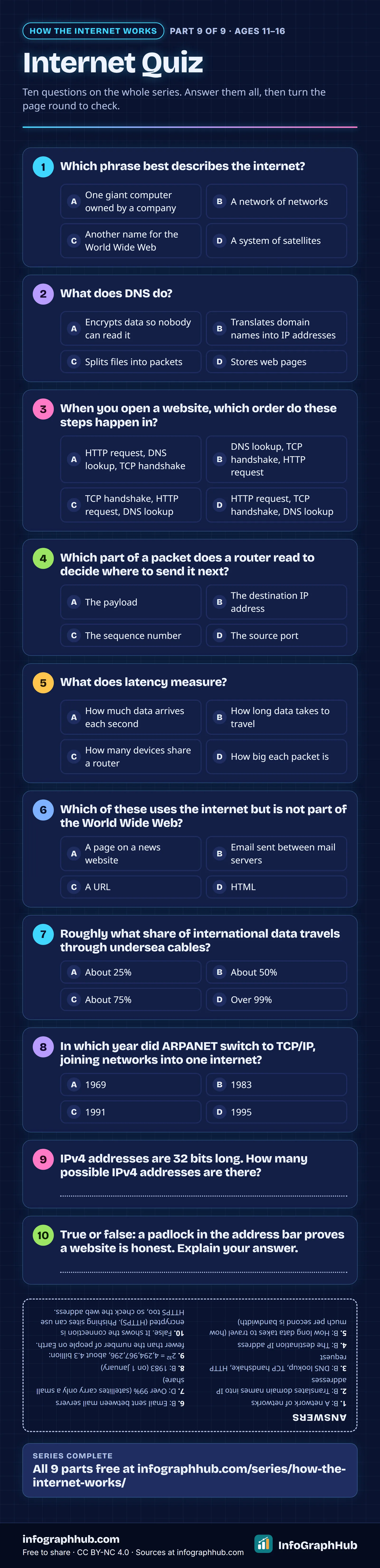
Ten questions covering the whole How the Internet Works series: networks and routers, DNS, the steps of loading a page, latency, the internet and the web, undersea cables, IP addresses, internet history and what the padlock really means.
Use this infographic
Free under CC BY-NC 4.0, with credit to InfoGraphHub.
How to use this quiz
Try all ten questions before you look at the answers. Questions 1 to 8 are multiple choice; questions 9 and 10 need a short written answer, so write a sentence, not just one word. The answers are printed upside down at the foot of the infographic. The worked answers below explain why each answer is right.
1 to 3: networks, DNS and loading a page
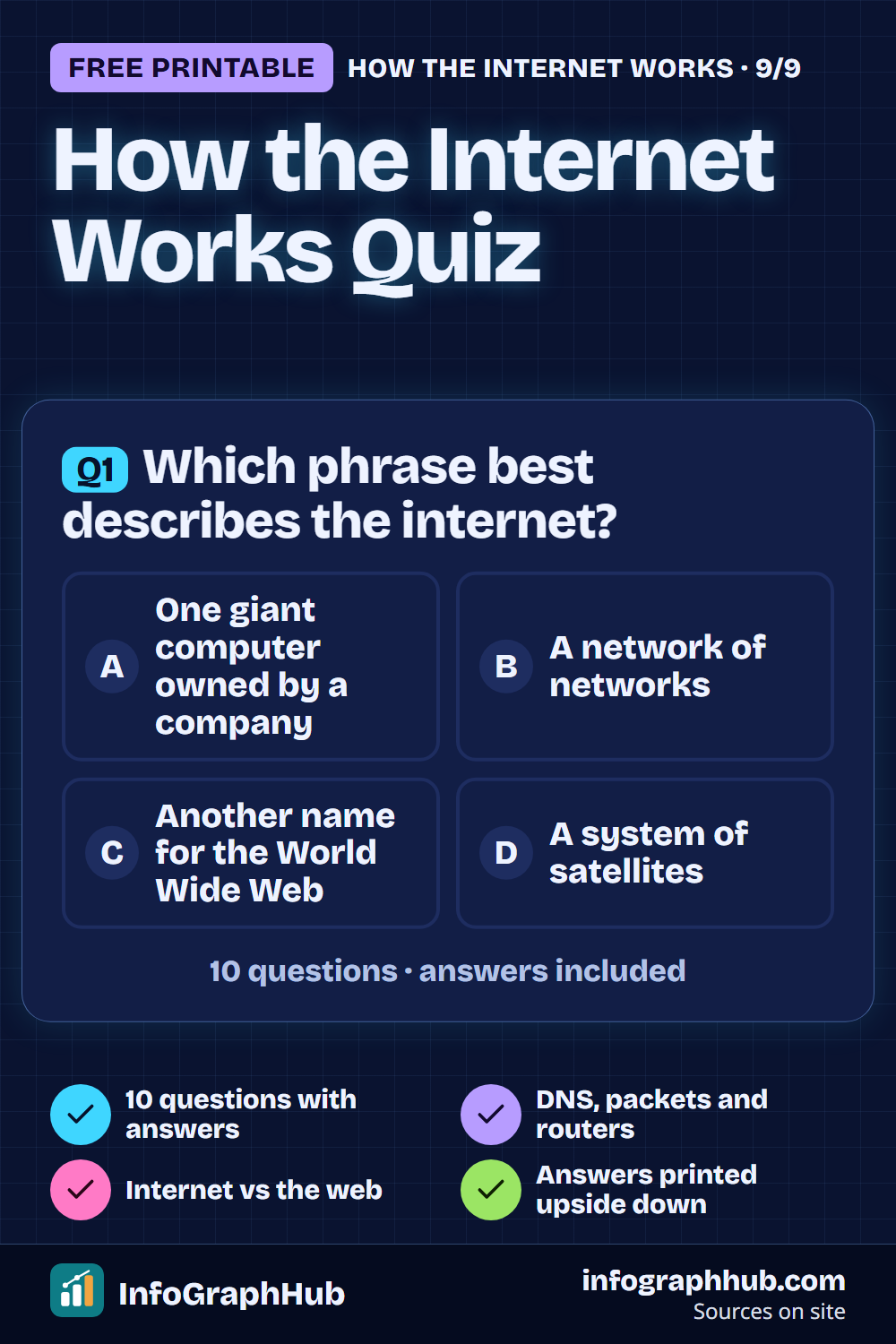
1. Answer: B, a network of networks. The internet joins tens of thousands of separate networks, run by internet service providers, companies, universities and governments, which all follow the same protocols. It is not owned by one company, and the web is only one service that runs on it.
2. Answer: B, DNS translates domain names into IP addresses. Computers find each other by number. DNS, the internet's phone book, turns a name such as example.com into an IP address. Splitting data into packets and encrypting it are jobs for other protocols (TCP/IP and TLS).
3. Answer: B, DNS lookup, then TCP handshake, then HTTP request. The browser cannot connect until it knows the server's IP address, and it cannot ask for the page until a connection is open. For an https address, a TLS handshake comes after the TCP handshake and before the request.
4 to 6: packets, latency and the web
4. Answer: B, the destination IP address. A router reads where the packet is going, checks its routing table and sends it one hop closer. The payload is the data itself; the router does not need to read it.
5. Answer: B, how long data takes to travel. Latency is a time, measured in milliseconds. How much data a connection carries each second is bandwidth. Distance is one of the main causes of latency.
6. Answer: B, email sent between mail servers. Email uses the internet but its own protocols, so it would keep working without the web. Web pages, URLs and HTML are all part of the World Wide Web.
7 and 8: cables and history
7. Answer: D, over 99 per cent. According to the ITU, undersea fibre-optic cables carry over 99 per cent of international data. Satellites carry only a very small share.
8. Answer: B, 1983. On 1 January 1983 every computer on ARPANET switched to TCP/IP, the shared rules that let different networks join into one internet. 1969 was ARPANET's first message, 1991 was when the web was announced publicly, and 1995 was when the internet went commercial.
9 and 10: addresses and the padlock
9. IPv4 addresses are 32 bits long, so there are 2³² = 4,294,967,296 possible addresses, about 4.3 billion. That is fewer than the number of people on Earth, which is one reason the newer IPv6, with 128-bit addresses, was developed.
10. False. The padlock shows the connection uses HTTPS, so data is encrypted on its way and others on the network cannot read or change it. It does not prove who runs the site. Phishing sites can get certificates too, which is why the FBI advises people not to trust a website just because it shows a lock. Check the exact web address as well.
Frequently asked questions
Which parts of the series does the quiz cover?
All of them: how the internet is built, what happens when you open a website, data packets, the internet versus the web, the numbers, the timeline, key terms and the common myths.
How can teachers use this quiz in class?
As a starter or exit ticket, or as revision after the series. Print it from the PDF, fold the answer strip under, and use the worked answers on this page to talk through any question the class finds hard.
Why are the answers printed upside down?
So you can try every question first without seeing the answers by accident. Turn the page round to check when you have finished.
What should I do if I get a question wrong?
Read the worked answer on this page, then open the part of the series it comes from. Each worked answer names the idea it tests, such as DNS, packets or latency.
Sources & methodology
Every fact is checked against the sources below. We write original explanations and draw original graphics; no figures are copied from textbooks. Spotted an error? See our corrections policy.
- How does the Internet work? (Cloudflare Learning Center, accessed 1 Oct 2026)
- What is DNS? How DNS works (Cloudflare Learning Center, accessed 1 Oct 2026)
- What is latency? (Cloudflare Learning Center, accessed 1 Oct 2026)
- How does the Internet work? (MDN Web Docs (Mozilla), accessed 1 Oct 2026)
- Submarine cable resilience (International Telecommunication Union (ITU), accessed 1 Oct 2026)
- Brief History of the Internet (Internet Society, accessed 1 Oct 2026)
- Cyber Actors Exploit 'Secure' Websites in Phishing Campaigns (FBI Internet Crime Complaint Center (IC3), accessed 1 Oct 2026)
Editorial review pending · Updated
Made by the InfoGraphHub editorial team (how we research and check: editorial and AI policy). First published 1 October 2026, last reviewed 1 October 2026. Found a mistake? Tell the editors.
For teachers: ages and curriculum fit
Ages 11–16 · Grades 6–10 (US) · Years 7–11 (UK) · Classes 6–10 (India)
Embed this on your site
Paste this HTML into your page. Keep the credit line: it is required by the CC BY-NC 4.0 license.
Related infographics


For teachers and parents: new InfoGraphHub resources by email
One short email when new free resources go live. For adults (18+) only. No spam, no tracking in emails, unsubscribe anytime.